
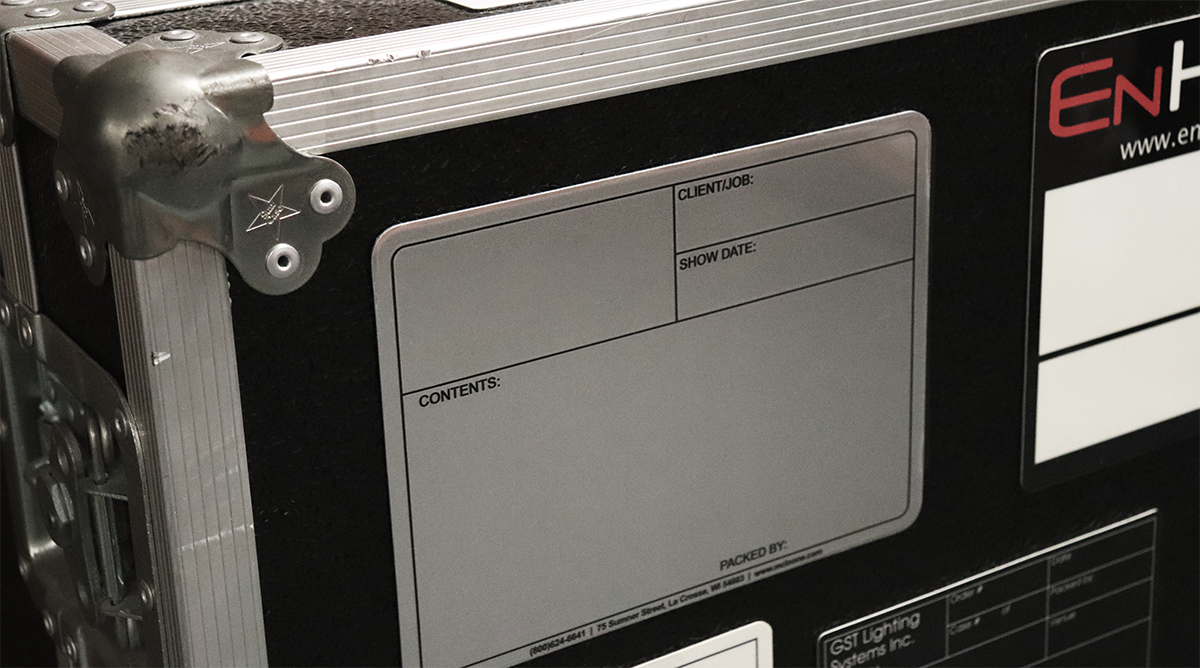
When you’re in live events, the last thing you want is to open the wrong case and be endlessly searching for a cable mid-show. This is where a smart labeling system makes all the difference. With the ability to customize, your case labels stay consistent, instantly recognizable, and well organized – no matter how chaotic things get. And because they’re rewritable, you can easily update details to cater to each event and stay flexible without sacrificing organization.
The key takeaway? There is no one-size-fits-all label.
Live production teams vary in their roles and operations, the scale of the events they work, and what information they need to see on a label during setup or takedown. For example, a touring production team might prioritize city, tour stop, and case number, while a live event company might put more emphasis on the event name, room assignment, and dates or times. Here are some examples of how customizable labeling can help various production companies to stand out in their industry:
1. Warehouse & Inventory Management
Teams that manage large amounts of equipment at various checkpoints often need accountability and tracking built right into the label. Some examples we often see:
- Order Number: ensures the case will be at the correct job or operation
- Pulled By: allows for accountability with gear preparation
- Checked By: confirms all necessary gear is packed
- Box Number: easily keep track of multiple cases
2. Touring Productions
Touring production teams are constantly on the move, requiring clarity and intentional labeling for their equipment. Some examples we often see:
- Artist: reduce mix ups when multiple artists are moving through the same space
- Date In/Date Out: keep timing aligned across multiple cities or shows
- Location: quickly identify where a case needs to be dropped
3. Live Events & Corporate AV
Event-based teams often juggle a variety of clients, destinations, and timelines all at once. Some examples we often see:
- Client: provides instant clarity on who a particular event is for
- Production: identify what each project is called, internally and externally
- Number of Cases: ensure that the right number of cases are being set up and taken down
When your case labels are built around your exact workflow, they become more than just a tag; they become a system. That’s the advantage of a customizable label – you’re not stuck with information you don’t need, and you’re not missing the ones you do.
Comments are closed.